

 Sho
ShoHi, konnichiwa(こんにちは)!
Welcome to our Japanese practice community!
This is a place where you can use Japanese, connect with other learners, and build the habit of communicating in Japanese.
Learning a language is not only about studying grammar and vocabulary. The best way to improve is to actually use the language and communicate with others.
In this community, we will:
- Share our daily lives in Japanese
- Discuss topics and questions I share with the community
- Exchange ideas and experiences with other Japanese learners
- Practice expressing ourselves naturally in Japanese
I will regularly share conversation topics, cultural questions, and ideas related to my videos. Feel free to share your thoughts and join the conversation in Japanese!
Please remember: this community is focused on practice and communication. It is not a place for detailed grammar lessons or individual Japanese corrections. Let’s learn together by using Japanese and supporting each other!
\Start Your 7-Day Free Trial/
Join now for only $6/month
Step-by-Step Guide: From Patreon Payment to Joining Discord
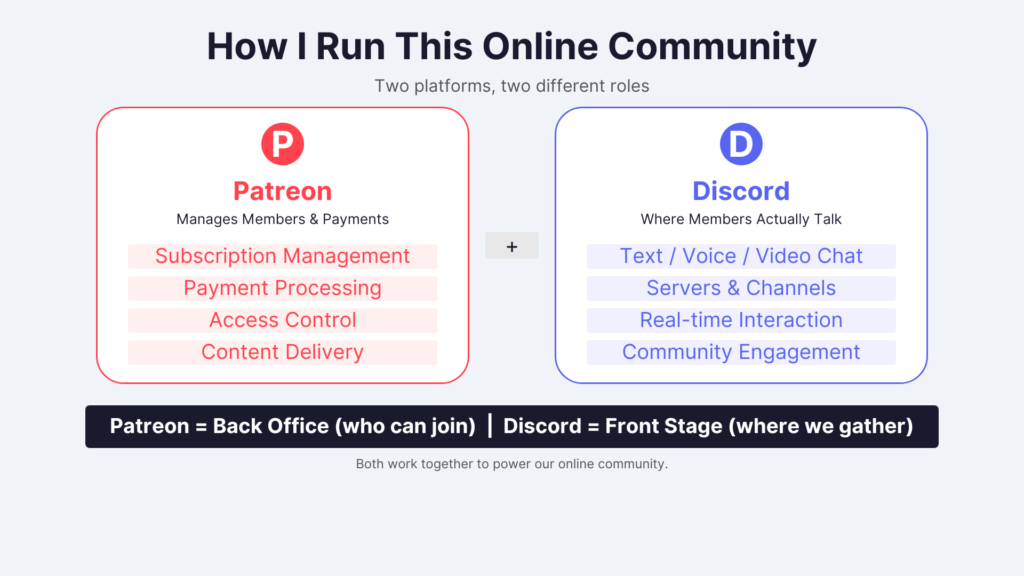
Joining our community is easy! Just follow these 3 simple steps
【Step 1】 Complete Payment on Patreon
- Click the Payment Link and press the “Join” button.
- If you don’t have a Patreon account, create one using your email address, Google account, or other preferred login method.
- Choose your payment method (Credit Card or PayPal).
- Enter your payment information and click “Subscribe / Pay with card” to complete the transaction!
【Step 2】 Connect Your Discord Account (Most Important!)
Once your payment is complete, link your Patreon account to Discord.
- Prepare and Verify Your Discord AccountIf you don’t have a Discord account, please create one in advance. If your Discord account’s email address is not yet verified, please complete the email verification beforehand.
- Open Settings (Patreon)Log in to Patreon and open “Settings”.
- Navigate to Connected AppsSelect “Connected Apps” from the menu.
- Connect to DiscordFind Discord on the list, open it, and click the “Connect” button.
【Step 3】 Join the Discord Server
Once connected, a button labeled “Join Server” (or “Discord Server”) will appear on your Patreon screen.
Clicking that button completes the connection between Patreon and Discord!
💡 Troubleshooting Tips
- If you encounter issues on the mobile app:Screen redirection errors can sometimes occur in the app. If you get stuck, please log into Patreon using a web browser (like Safari or Chrome) and try connecting again.
- If you can’t join the server after clicking the button:Check if your Discord account has reached the maximum limit of 100 servers.
\Start Your 7-Day Free Trial/
Join now for only $6/month